After applying for the Haryana Family ID, also known as Parivar Pehchan Patra (PPP), it’s important to track your application status. This guide explains how to check status of PPP Haryana online, understand different status messages, and resolve common issues.
Important: Always check status only through the official PPP Haryana website. The entire process is free of cost.
How to Check Haryana Family ID Status Online?
Follow these simple steps to check status of your PPP application:
Step 1: Visit the Official Website
Go to the Mera Parivar portal:
https://meraparivar.haryana.gov.in/
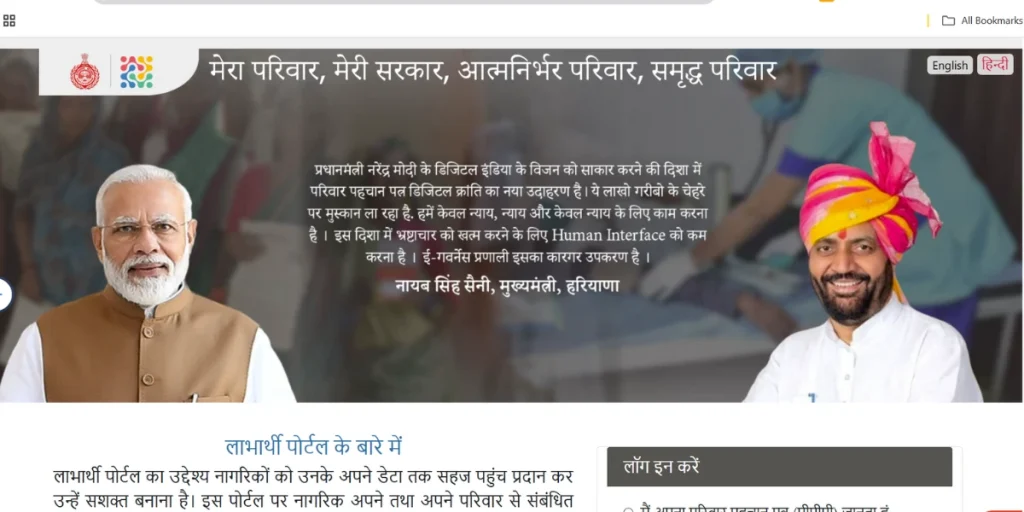
Step 2: Select the “Status Check” Option
On the homepage or dashboard, find and click on “Check Status .”
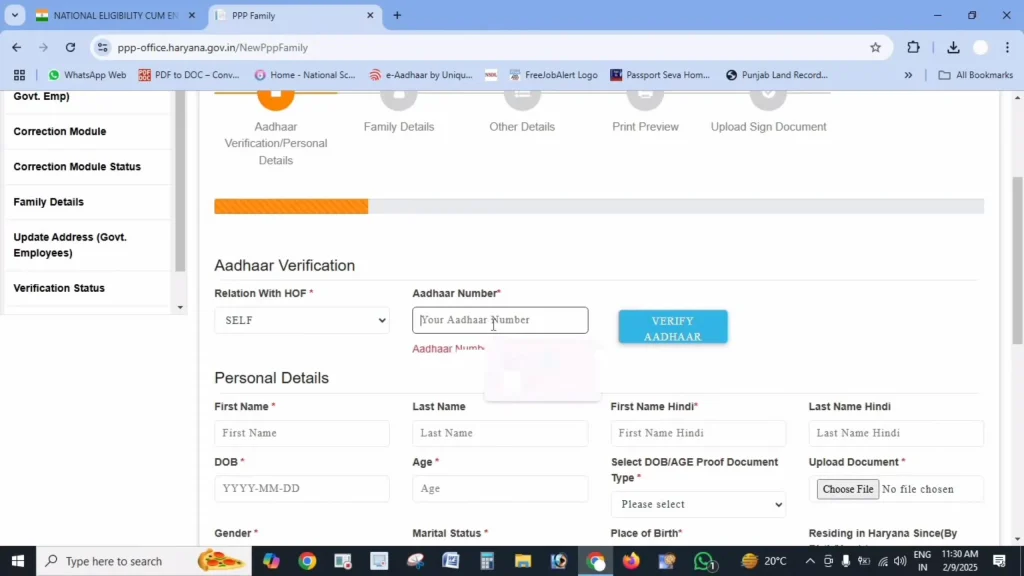
Step 3: Enter Required Details
You can check your status using any one of the following:
- Family ID number
- Application number (received during registration)
- Registered mobile number
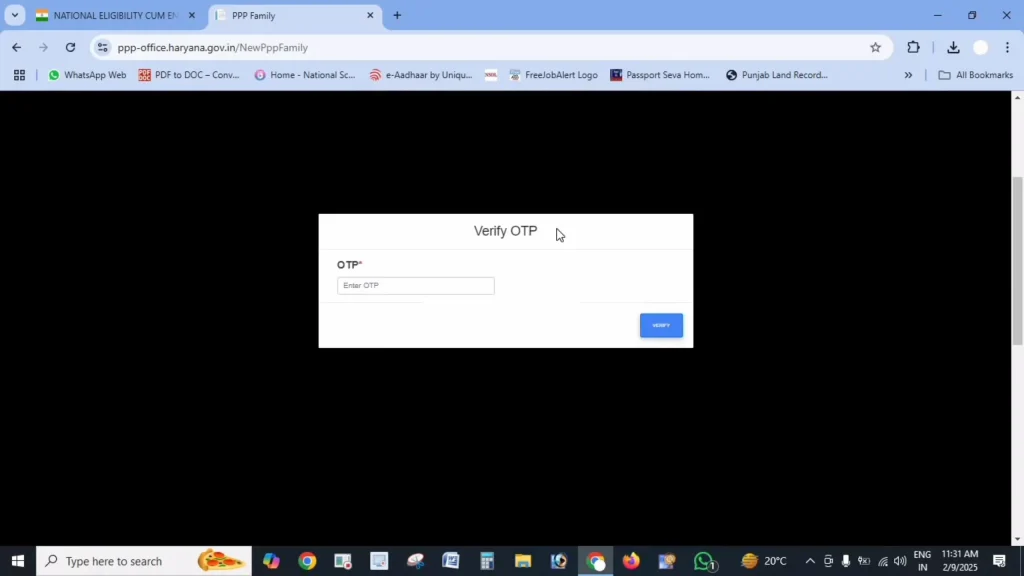
Step 4: OTP Verification (If Required)
If you use your mobile number, an OTP may be sent for verification. Enter the OTP to proceed.
Step 5: View Application Status
After verification, your current application status will be displayed on the screen.
Understanding PPP Haryana Application Status
Status: Processing / Pending
Meaning: Your application is under verification by the authorities.
Processing Time: Usually 10–30 days.
What to Do:
- Wait and recheck after a few days
- If the status remains unchanged for more than 30 days, visit your nearest Saral Kendra
Status: Approved
Meaning: Your application is verified successfully, and your Family ID has been generated.
What to Do:
- Download your Haryana Family ID from the portal
- Save a digital and printed copy for future use
Status: Rejected
Meaning: The application was rejected due to incorrect or incomplete details.
Common Reasons:
- Mismatch in personal information
- Incorrect or unclear documents
- Incomplete application details
What to Do:
- Check the rejection reason on the portal
- Correct the errors
- Reapply with updated and accurate information
Why Is Checking Haryana Family ID Status Important?
Checking your Haryana Family ID status online helps you:
- Confirm whether your PPP application is approved or pending
- Identify errors or missing documents
- Ensure eligibility for government schemes
- Track updates after data correction
- Download Family ID once approved
Many welfare schemes require an active and verified Family ID, so status tracking is essential.
Check Status of Family ID Updates or Corrections
If you have requested changes, such as adding a family member or correcting details:
Step 1: Open your web browser and go to the official Mera Parivar (PPP Haryana) website
Step 2: Now, Log In Using Your Family ID or Aadhaar
Step 3: After successful login, you will be redirected to your Family ID Dashboard.
Step 4: Click on “Update History” or “Correction Status”
Step 5: Now Locate Your Submitted Request
Step 6: Check the Current Status of Your Correction Request
Locate your request and check its current status
What to Do If Your Application Is Rejected?
Don’t panic if your status shows Rejected. Follow these steps:
- Review the rejection reason carefully
- Fix the mentioned errors
- Upload correct documents
- Reapply through the portal
- Visit a Saral Kendra if assistance is needed
Tip: Keep your application number, registered mobile number, and reference details safe for future tracking.
Common Problems While Checking Status & Solutions
Issue: Application Not Found
Solution:
- Recheck the Family ID or application number
- Avoid typing mistakes
Issue: OTP Not Received
Solution:
- Confirm your mobile number is registered
- Check network connectivity
- Try again after a few minutes
- Use the application number if the OTP fails
Issue: Website Not Loading
Solution:
- Try accessing during non-peak hours
- Clear the browser cache and refresh
- Use a different browser or device
Alternative Ways to Check Haryana Family ID Status
If online access isn’t working, you can:
- Visit the nearest Saral Kendra
- Contact the PPP Haryana helpline through the district offices
Frequently Asked Questions (FAQs)
How long does PPP Haryana verification take?
How long does PPP Haryana verification take?
How long does PPP Haryana verification take?
Visit your nearest Saral Kendra for support.
Can I track multiple applications using one mobile number?
Yes, all applications linked to the same mobile number will appear.
Will I get a status update notification?
Yes, SMS alerts are generally sent when the status changes, especially after approval.
How often should I check my application status?
Checking once every 7–10 days is sufficient.