The Government of Haryana launched the Parivar Pehchan Patra (PPP) program to assign every family in the state a unique identification number. This guide walks you through the process of creating the Haryana Family ID, commonly called PPP Haryana.
Key Information:
PPP Haryana registration does not require any fee. The abbreviation PPP stands for Parivar Pehchan Patra. Permanent residents are issued an 8-digit Family ID, while temporary residents receive a 9-digit number beginning with “T.”
Available services on the portal:
- Login
- New Registration
- Application Status Check
- Family Details Update
- Download Family ID
Before Starting – Required Items for Family ID Registration
Important Documents
- Aadhaar cards of every family member
- Active mobile number of the family head
- Address proof (example: electricity bill)
- Age proof (birth certificate or school/matric certificate)
- Voter ID cards for adults (if available)
- Bank details for DBT benefits (optional)
- Income or caste certificate (if applicable)
- PAN card (if available)
Preparation Tips
- Scan documents in PDF format and keep each file below 200 KB
- Ensure the registered mobile number can receive OTP messages
- Keep personal details of all family members ready (DOB, education, etc.)
- Reserve about 30–45 minutes to complete the form without disturbance
Step-by-Step Haryana Family ID Registration
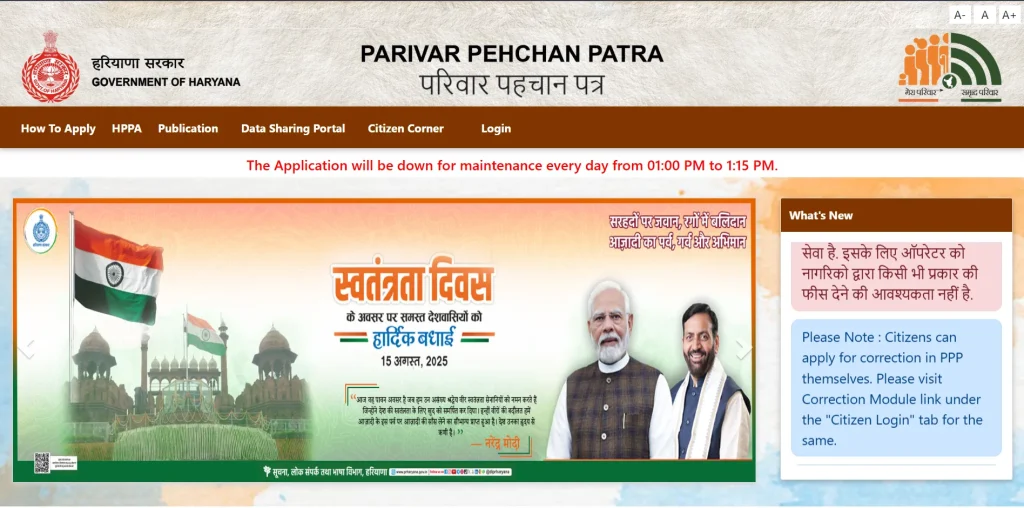
Step 1: Open the Official Portal
Go to the PPP Haryana website:
https://ppp-office.haryana.gov.in/
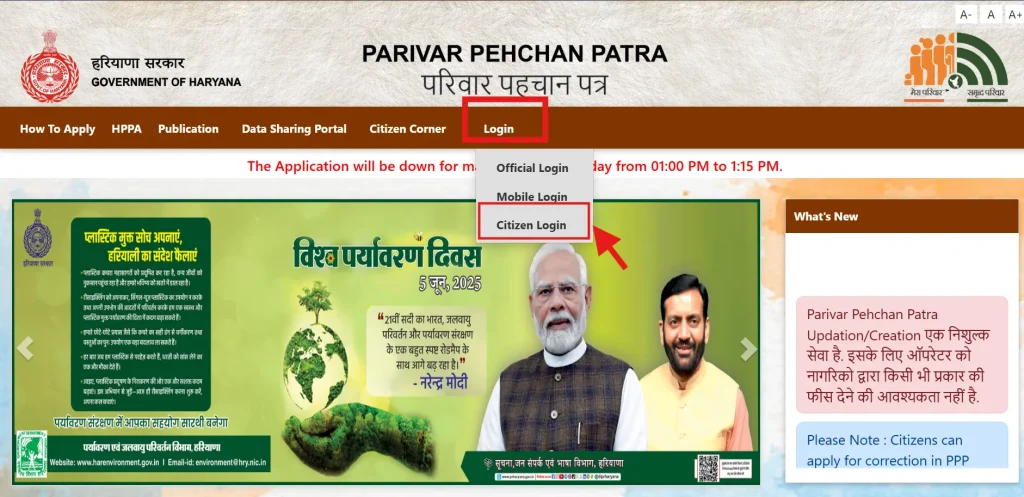
Step 2: Choose Registration
Click Citizen Login on the homepage.
When asked whether you already have a Family ID, select No to create a new Parivar Pehchan Number (PPN).
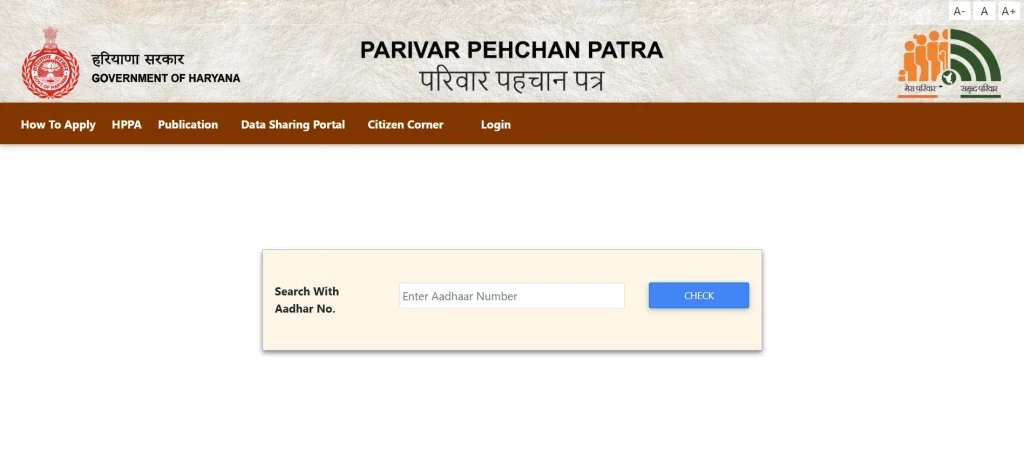
Step 3: Enter Aadhaar Details
Provide the Aadhaar number of the family head.
An OTP will be sent to the Aadhaar-linked mobile number.
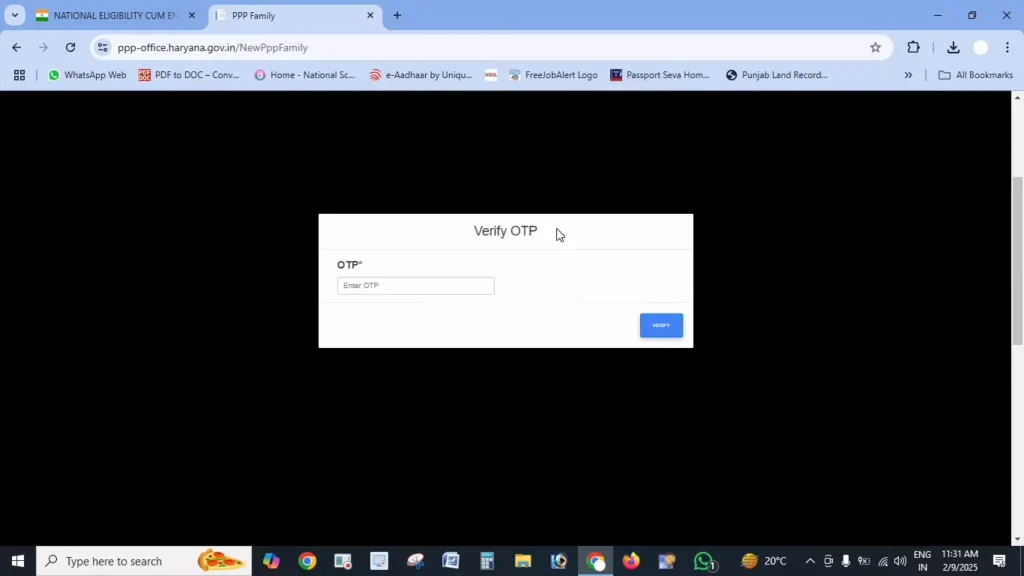
Step 4: Verify OTP
Enter the OTP received to confirm your identity.
Step 5: Fill in Personal Information
After verification, some details from Aadhaar (name and date of birth) will appear automatically.
You must then provide additional information, such as:
- Name in Hindi
- Date-of-birth proof document
- Document number and issue date
- Gender and marital status
- Birthplace (inside or outside Haryana, with location details)
- Length of residence in Haryana
- Mobile number (required)
- Email (optional)
- Caste category and certificate (if applicable)
- Disability details (if any)
- Voter ID and PAN details (if available)
- Annual income and source of income
Step 6: Upload Documents
Upload clear PDF copies (under 200 KB each) of:
- Aadhaar cards
- Age proof documents
- Voter IDs
- Address proof
- Income/caste certificate (if required)
- Bank passbook/statement (for DBT)
- PAN card (if available)
Helpful Tips
- Scans must be readable
- Compress large files before uploading
- Only the PDF format is accepted
Step 7: Add Family Member Information
Provide complete details of all members, including:
- Father’s information (alive/deceased, Aadhaar, name, death date if applicable)
- Mother’s information
- Spouse’s details (if married)
- Current address and ownership details
- Children and other members (Aadhaar, DOB, relationship)
Step 8: Review and Submit
Check all entries carefully.
Wrong information can delay approval or prevent you from receiving benefits.
After confirming accuracy, click Submit.
Step 9: Temporary Family ID
After submission, you will receive a temporary Family ID (usually starting with “T”).
Save or screenshot this number.
It remains valid until verification, which usually takes 10–30 days.
After Registration
- Track Application: Use your temporary ID or mobile number to check status
- Verification: Local authorities will verify your details within 10–30 days
- Permanent ID: After approval, you’ll receive an 8-digit permanent Family ID
- Download: You can download the ID from the portal once approved
Note: The PPP system is connected with birth, death, and marriage records for automatic updates, but major changes should still be updated manually.
Common Problems & Fixes
OTP not received:
Ensure your Aadhaar has the correct mobile number. Update Aadhaar or visit a Saral Kendra if needed.
Document upload error:
Upload only clear PDFs under 200 KB. Compress files if necessary.
Application stuck:
Clear browser cache, try another browser, or apply during non-peak hours.
Aadhaar verification failure:
Recheck the number. If the error continues, update Aadhaar at a nearby center.
Unable to add members:
Enter full details for each person. You can add missing members later through the update option.
Offline Registration (Saral Kendra)
If online registration is difficult, visit your nearest Saral Kendra:
- Carry original documents and photocopies
- Staff will complete and upload your application
- You will receive a temporary ID for tracking
Benefits of PPP Haryana
- One-time registration for multiple government schemes
- Easier access to welfare benefits
- Some records update automatically
- Digital family record
- Centralised government database
Frequently Asked Questions
Who should apply?
Usually, the head of the household applies for the whole family.
Is Aadhaar compulsory?
Preferably yes. Young children without Aadhaar can be added later.
Can NRIs apply?
Yes, if they have property or permanent ties to Haryana and can provide proof.
What if some documents are missing?
Aadhaar is mandatory; others may be optional. Visit a Saral Kendra for alternatives.
How will I know my registration is successful?
You will receive a temporary ID after submission and a permanent ID after verification.